
Free lead tracking · Activate the wedding when ready Paste the messy wedding data people actually send: old ceremony scripts, reusable elements, VIP lists, tables, notes, texts, and email threads. Review the structure, edit it, then use it in the wedding.Magic Import
Full wedding workspace · Paste & structure Two ways to use the same engine: your ceremony library, and the wedding party. You have years of scripts in Word docs, PDFs, and email threads — and couples send wedding-party lists in every format imaginable. Magic Import turns that messy text into structured data, then asks you to review it before anything goes live. Same paste-and-review pattern, two very different jobs. For your ceremony library Paste old scripts, PDFs, or doc files in your studio. Magic Import pulls out structure — full ceremonies and the readings, rituals, and transitions inside them — so you can drop them into new weddings instead of retyping. For the wedding party Paste names, roles, sides, and notes from spreadsheets, texts, or emails. Magic Import structures the roster so it is ready for procession walking order, reserved seating, and altar positions. You review it before anything goes live. You do not need a special spreadsheet.Magic Import — stop retyping everything
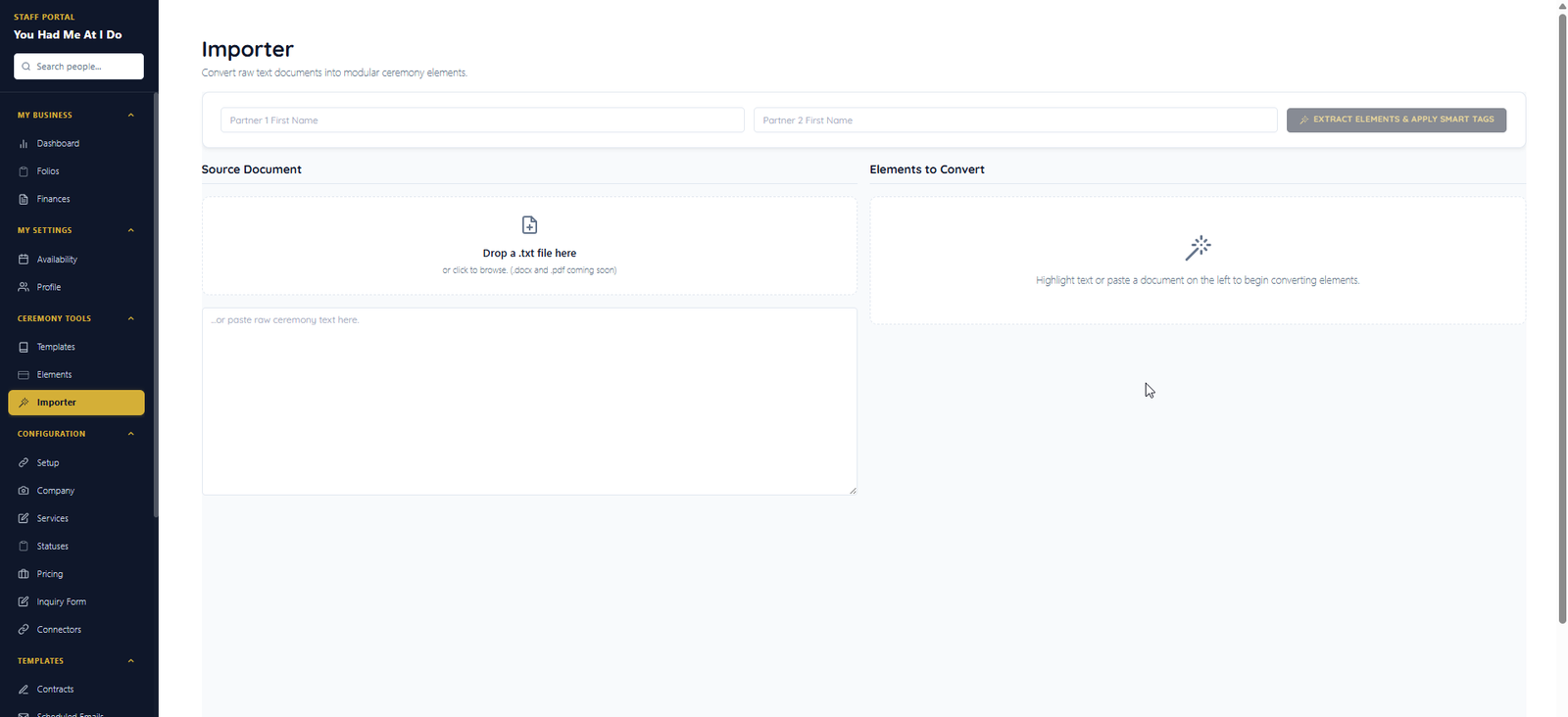
Officiant — past ceremonies & reusable elements
Couple or officiant — messy VIP lists
Built for real source material
Paste what they sent. You do not need a special spreadsheet.
Officiants have years of ceremonies in Word docs. Couples send the wedding party in texts, emails, and notebooks. Magic Import turns that into something you can use — without making anyone retype it.
Existing ceremonies
Bring past scripts into the studio so your best work becomes reusable instead of trapped in old files.
Ceremony elements
Extract welcomes, readings, vows sections, rituals, declarations, pronouncements, and transitions as reusable building blocks.
Messy VIP lists
Paste names, roles, sides, phone numbers, notes, and relationships from whatever format the couple sends.
Human review
The import gives you structured data, but you approve it before it affects procession, seating, portals, or day-of mode.
Where imports land
Review first — then put structured data to work
Ceremony imports build your reusable library. VIP imports become rosters you approve for procession, seating, and portals. Nothing goes live until you say so.
Day-of mode
Officiant tablet view with offline backup, dark mode & adjustable text.
Procession & layout
Couple and officiant plan walking order, seating chart, and altar positions together — then publish to VIPs and day-of.
Magic Import
Officiants: import past ceremonies & reusable elements. Couples & officiants: paste messy VIP lists — ready for procession & seating.
Apply for the Beta to help shape Magic Import and the ceremony workflow before launch.Stop retyping the wedding