Officiant Suite
Ceremony tools for the jobs you already do
Ceremony building. Private vows. Procession. Reserved seating and altar organization. Pronunciation. Day-of Mode. Emergency handoff and backup. Studio stays a tool for ceremonies the officiant authors.
AI when you want it — not between you and the couple.
Now accepting 20 beta users.
More than booking software Inquiries, contracts, and payments are the start. These are the ceremony jobs Officiant Suite is built for.Studio carries the same wedding from inquiry through wedding day.
The journeyFour steps from inquiry to wedding day
Start with the inquiry — free
Capture the inquiry, send automated follow-ups, and give the couple a light portal. Review the opportunity before deciding whether to activate the wedding.
Activate when you are ready
Activate the wedding for $15 when the couple is ready to move forward. Activation permanently opens the full wedding workspace. Solo professionals never pay more than $60 in a calendar month; team monthly maximums are $99 for 2–5 operators and $149 for 6–15 operators.
Book and plan together
Manage contracts, signatures, payments, questionnaires, schedules, messages, and wedding details in one shared record. Use Officiant Suite, DJ Suite, or both according to the services you provide.
Run the wedding
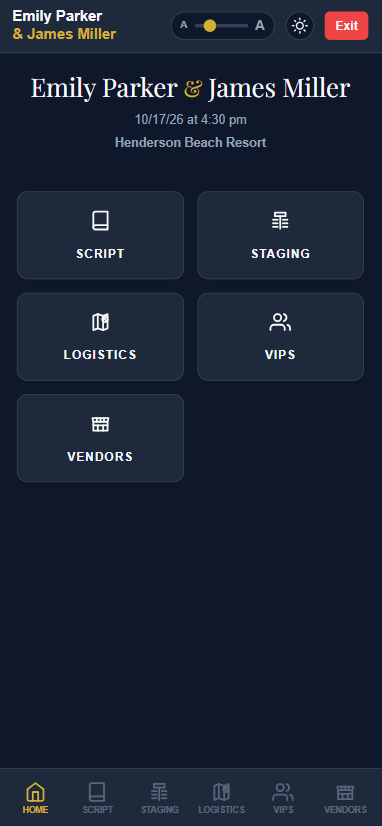
Officiants carry the ceremony, procession, seating, vows, and Day-of Mode. DJs carry the music plan, Grand March, formalities, and guest request queue. Everyone works from the same wedding record.
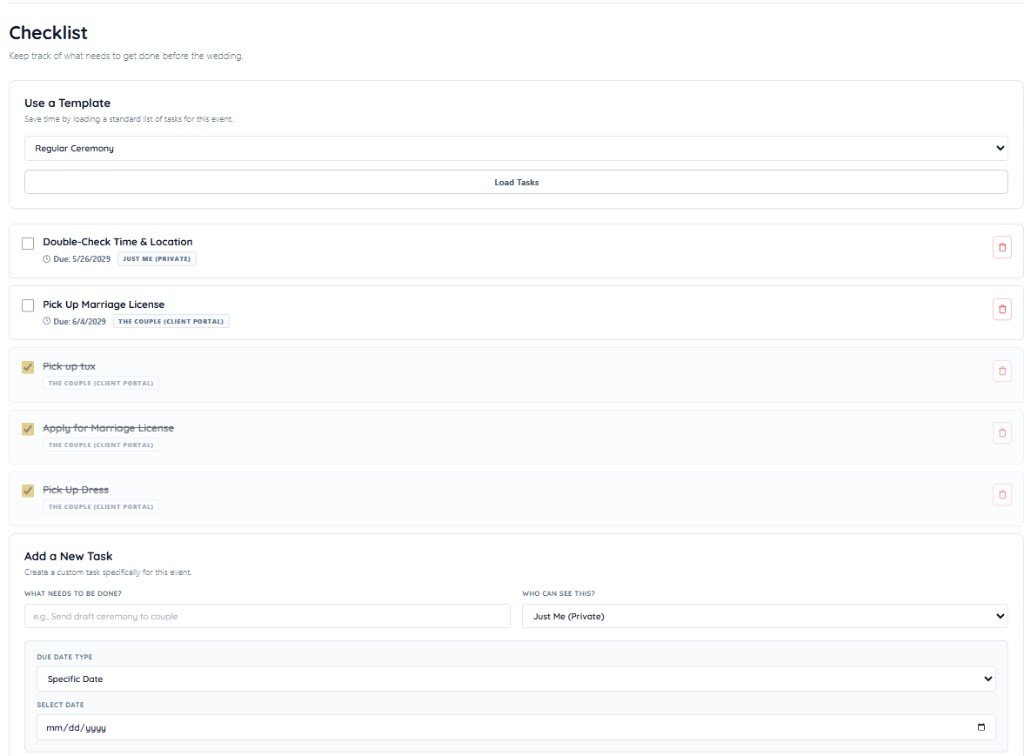
Full wedding workspace · Officiant only Staff-only feed for phone calls, meeting logs, and backstage prep — separate from couple Messages. Checklists can be private or public for the couple.Internal Notes — your backstage log
Jobs officiants recognize
Prepare the ceremony. Carry it to the wedding day.
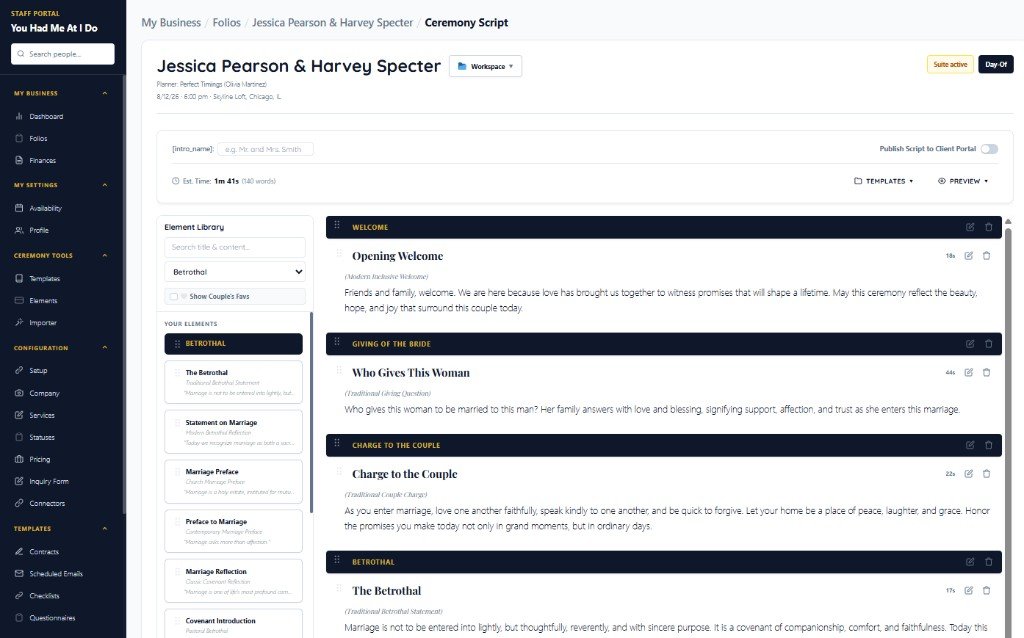
Ceremony building
Reusable elements and scripts you author — templates, private cues, and couple favorites only when you want them.
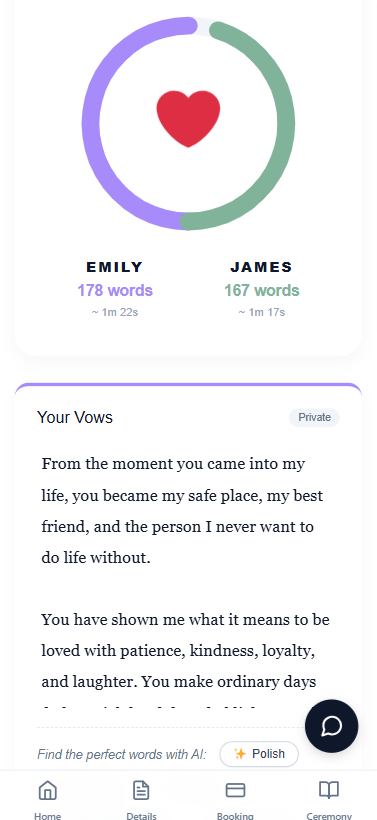
Private vows & pronunciation
Vow Workshop keeps each partner’s words private. Name pronunciation cues travel with you into Day-of Mode.
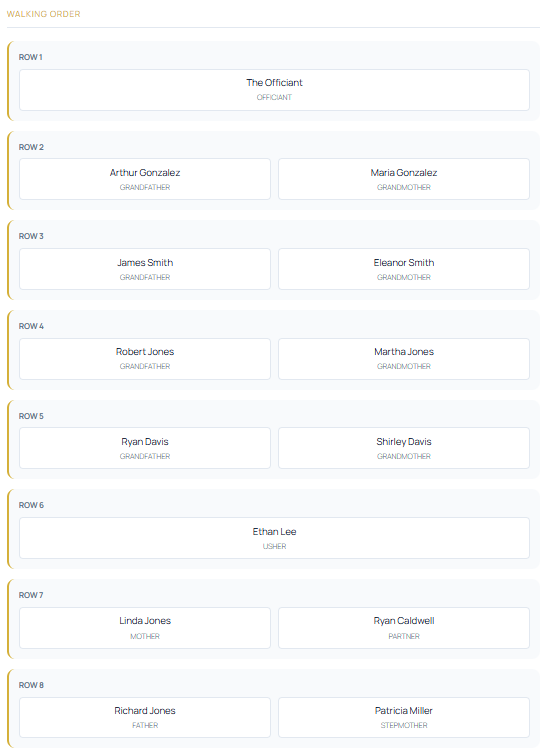
Procession, seating & altar
Walking order, reserved seating, and altar organization for the people who stand with the couple.
Day-of Mode & emergency handoff
Altar-ready script on a tablet, offline and paper backups, and a way to hand the ceremony to a backup officiant if plans change.
AI when you want it
AI when you want it — not between you and the couple.
Magic Import and optional vow polishing sit under that positioning. Studio remains a tool for ceremonies the officiant authors.
Messy VIP Import
Paste the kind of wedding-party list couples actually send. Studio turns it into structured VIPs for procession planning, seating, roles, and contacts.
Magic Import — ceremonies
Paste or upload an existing ceremony script you wrote. Studio helps split it into reusable ceremony elements, sections, and templates.
Magic Import — elements
Paste a welcome, reading, ritual, or transition from an old script. Studio turns it into a reusable block in your element library.
Optional vow polishing
Couples can polish, shorten, lengthen, or adjust the tone of their vows while keeping their own voice — and without revealing their vows to their partner.
Connect ChatGPT or Claude
Ask your AI about your live schedule and couple checklists without copying and pasting from Studio. Connect under Studio Settings → AI Assistant.
Equal product paths
Officiant Suite and DJ Suite on the same wedding
Bookings is shared. Add Officiant Suite, DJ Suite, or both according to the services you provide — equal footing, not an add-on afterthought.
Questions officiants ask
Simple answers before you apply.
Who is Studio for?
Studio is wedding software for officiants and DJs. Bookings is shared. This page covers Officiant Suite — ceremony scripts, vows, procession, and day-of. DJ Suite is an equal product path for music planning and guest requests.
Do I need a monthly subscription?
No. There is no monthly subscription. Activate the wedding for $15. Solo professionals never pay more than $60 in a calendar month; team monthly maximums are $99 for 2–5 operators and $149 for 6–15 operators.
What does activating a wedding unlock?
Activation opens the full wedding workspace for that event: planning forms, contracts, payments, the full couple portal, role-specific portals, and the Officiant or DJ tools that wedding needs.
How is this different from general booking software?
Studio carries the same wedding from inquiry through wedding day. Bookings handles leads, contracts, and payments. Officiant Suite covers ceremony scripts, private vows, procession, and day-of. DJ Suite covers music plans and guest requests on the same wedding record.
Does Studio write my ceremony?
No. Studio remains a tool for ceremonies you author. Magic Import helps organize ceremony material you already wrote. Optional vow polishing is available when a couple wants it — AI when you want it, not between you and the couple.
Apply for the Beta
Now accepting 20 beta users. Full terms and the 25-activation offer are on the Beta page.